

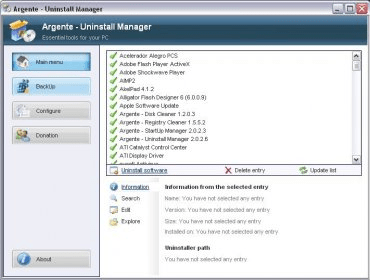
Argente - Uninstall Manager is a great tool for managing and optimizing uninstallation operations on your computer. It is easy to use and provides an intuitive user interface. The program allows you to quickly check the list of currently installed programs and their components, select one or multiple items, and pick the means of disposal such as complete deletion, a proper uninstall, or removal from the list. The program also provides detailed information about each installed program and its components, making it easier to make informed decisions about what to uninstall.
With the normal use of your computer, it is common that you install a lot of programs on your system, but when time goes on, you can notice that not all of them are totally necessary, and you decide to uninstall them. And then, the most common way to do erase those unwanted programs, is to open the default uninstall manager tool that comes with your Windows OS. And it's totally true that the famous "Add or Remove programs" tool is not very efficient at all, because it does not uninstall your programs completely, it will always leave a trace.
But nowadays, there are many excellent programs to help you out to complete this tedious task in an easy way. Argente - Uninstall Manager is a complete tool that will uninstall your programs with a great efficiency and without leaving a trace. Besides, it has many other functions that could be very useful for you. For example, you will be able to edit the name of entry of a specific program, or explorer where the application folder is, etc. more





Comments